
The Ultimate Guide to Brand Protection: Key...

UI/UX in 2024: Beyond Buttons and Bells
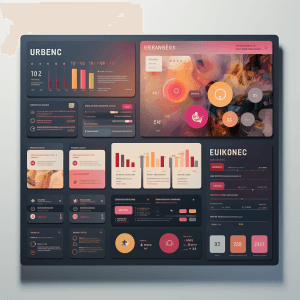
Expert UX/UI designer reveal insights on creating engaging digital products in 2024, from branding to user interface design examples.
Discover how UX design impacts clients and transforms the website user experience.
Imagine a digital product so intuitive, so delightful, it feels like magic. That’s the power of UI/UX design at your fingertips. Are you ready to unleash it?
Imagine a digital product so intuitive, so delightful, it feels like magic. That’s the power of UI/UX design at your fingertips. Are you ready to unleash it?
Tech keeps racing fast. And to keep up, digital products need two secret weapons: easy-to-use screens and smooth journeys for users. That’s UI and UX in a nutshell!
Understanding UI (User Interface): Users tapping, swiping, and clicking their way through your app or website—easy! That’s what good UI design aims for. It’s all about making things clear and visually appealing, like a well-organized desk that helps you work better.
Delving into UX (User Experience): UX, on the other hand, is all about the overall user experience. From start to finish, we want users to say, “wow!” UX design means every step on your app or website is a breeze; no bumps in the road, just happy navigation all the way through.
Key Principles of Effective UI/UX Design:
1. Simplicity is key:
Keeping designs simple increases user knowledge. Complex designs often lead to confusion and block the user experience.
2. Consistency Matters:
Think of design elements like traffic lights—always the same colors, same signals. That’s consistency! It helps users zip through your app or website without needing a map, making it a breeze to use.
3. User-Centric Approach:
We design like mind readers! By putting users first, we build products that check all their boxes. No more guessing, just happy faces when they find what they need.
4. Ease of access and inclusivity:
Nobody gets left behind! Good UI/UX design opens the door for everyone, no matter what. It’s like building slopes alongside stairs, making sure everyone can enjoy the digital fun.
The Role of Prototyping in UI/UX Design:
Before the big launch, let’s take a test drive! Prototypes are like putting your design ideas on wheels, so you can see if they run smoothly and make any tweaks before things get real.
Wireframing: A Blueprint for Success
Defining Wireframes: Wireframes are like rough blueprints, showing where everything goes to make it easy to use and beautiful. Think of it as planning the rooms in a house before buying furniture.
How Wireframes Enhance the Design Process: Think of wireframes as blueprints for your app or website. They show everyone involved how things will work before we start building walls (the fancy design bits). No surprises, just a clear plan to keep everyone on the same team!
Color and Typography in UI/UX:
Impact of Colors on User Perception: Colors invite emotions and influence user behavior. Choosing the right color palette enhances the overall mood of the digital product.
Choosing the Right Typography: Fonts whisper your brand’s personality! Pick the right one, and it tells users who you are: playful or serious, loud or chill. It’s like the music you choose for your house party.
Mobile-First Design: Adapting to the Modern Era
Phones rule the world! So, smart designers build for them first. That means websites and apps that fit perfectly in your pocket and are easy to use, no matter the size of your screen.
Usability Testing: Ensuring a Seamless Experience
1. Importance of Usability Testing: We like happy clicks, not angry ones! We test our designs early and often. To make sure everything flows smoothly and users can zoom in.
2. Conducting Effective Tests: We watch people play with our digital product! These “usability tests” help us see what’s confusing and fix it, making things smoother for everyone.
Evolution of UI/UX Trends
- Dark Mode: Aesthetic and Functional: Dark mode isn’t just cool; it’s kind to your eyes in the dark. Also, it makes your app or website look smooth and modern.
- Micro-interaction: Adding Delight: Micro-interactions add a little magic to the clicks and taps. That makes using your app or website fun.
Think of UI/UX design as the magic behind smooth apps and websites. It makes using them like riding a bike easy and fun, and you barely notice how it works. Key rules, keeping up with the cool stuff, and working together—that’s the recipe for digital experiences that make users say, “Oh yeah!
FAQs (Frequently Asked Questions)
1. What is the difference between UI and UX design?
Answer: UI design focuses on the visual aspects, while UX design is concerned with the overall user experience.
2. Why is mobile-first design important?
Answer: Mobile-first design ensures that digital products are optimized for a variety of devices, enhancing accessibility and user experience.
3. How can designers balance aesthetics and functionality?
Answer: Designers can achieve balance by prioritizing a user-centric approach and incorporating feedback throughout the design process.
4. What are some popular UI/UX design tools?
Answer:Sketch, Figma, and Adobe XD are widely used UI/UX design tools known for their versatility and collaborative features.
5. How does usability testing benefit the design process?
Answer: Usability testing identifies potential issues early on, allowing designers to make improvements and create a more user-friendly product.
To achieve digital transformation and ensure a seamless user experience, mastering UI/UX design is crucial. By implementing UI/UX magic, you can create designs that delight and guide users with ease. This will not only boost engagement and make conversions soar, but it will also result in a higher return on investment. If you are ready to transform your pixels into a user paradise, let’s embark on this journey together!
Related Posts
UI/UX in 2024: Beyond Buttons and Bells
UI/UX in 2024: Beyond Buttons and Bells...
The Future of UI/UX Design: Top Trends
The Future of UI/UX Design: Top Trends...

Service for Site of the Month Nov
How to Call to Action Without Being...